我的博客这么有名了吗?
【后续】网站被盗版(反向代理)怎么办?
早上看了下博客,有朋友提醒我的网站被人盗版了!是该高兴呢?还是高兴呢?
我只是个人博客,记录生活,您要反代也去反代那些牛逼的网站啊,随便一个都比我这强啊!
盗版域名:https://oqaz.xyz/
盗版IP:54.202.21.21
使用了Cloudflare,使用了缓存,关键是还准备加Google广告,我也是醉了!我这一天能有几个人访问呢,哈哈!
下面是截取的两张盗版图片。

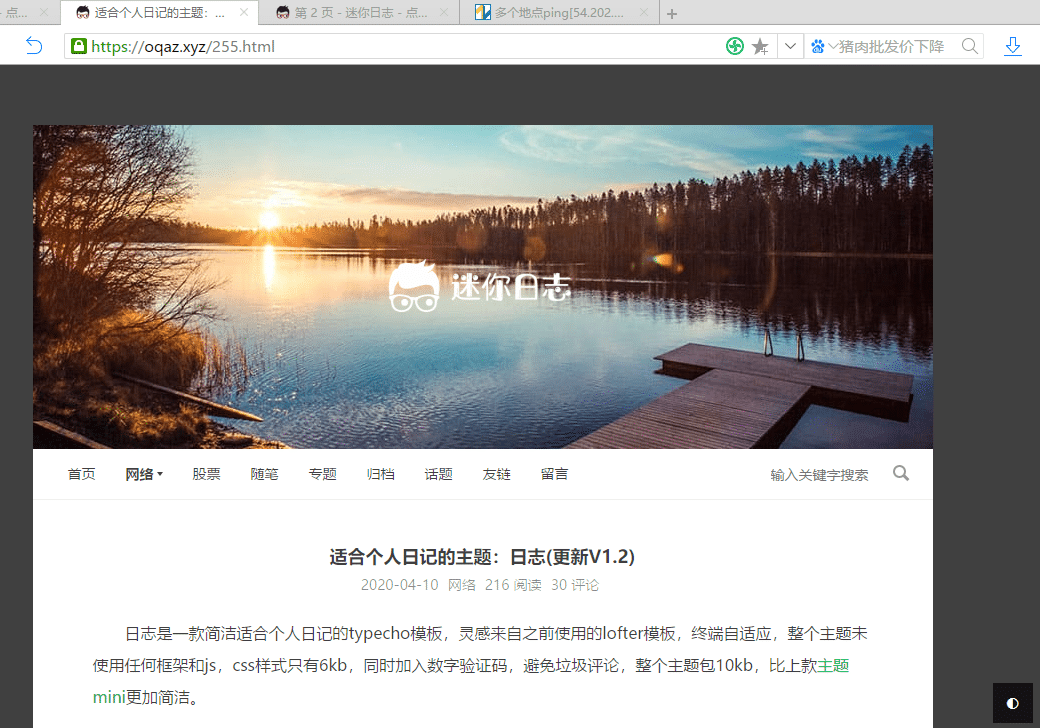
【后续】网站被盗版(反向代理)怎么办?
早上看了下博客,有朋友提醒我的网站被人盗版了!是该高兴呢?还是高兴呢?
我只是个人博客,记录生活,您要反代也去反代那些牛逼的网站啊,随便一个都比我这强啊!
盗版域名:https://oqaz.xyz/
盗版IP:54.202.21.21
使用了Cloudflare,使用了缓存,关键是还准备加Google广告,我也是醉了!我这一天能有几个人访问呢,哈哈!
下面是截取的两张盗版图片。
这几天一直没有关注市场,周末看了新闻,中国银行的原油宝事件越演越烈,才想起了之前客户经理推荐时候我也买了南方原油,只不过是原油基金。查了下也是投资的期货基金,并且已经亏了一半多了,早就达到了我的割肉线,那就狠心割掉吧!
想想都后怕,幸亏没买原油宝!
幕布是一款多平台的笔记应用。以大纲的形式梳理呈现结构化内容,支持思维导图模式,可以一键把大纲结构的文本内容转化成思维导图,支持 OPML 和思维导图等格式文件的导入和导出。
幕布4岁生日趴
http://mubu.com/activity/4years
附上自己的邀请,愿意的话可以走这个
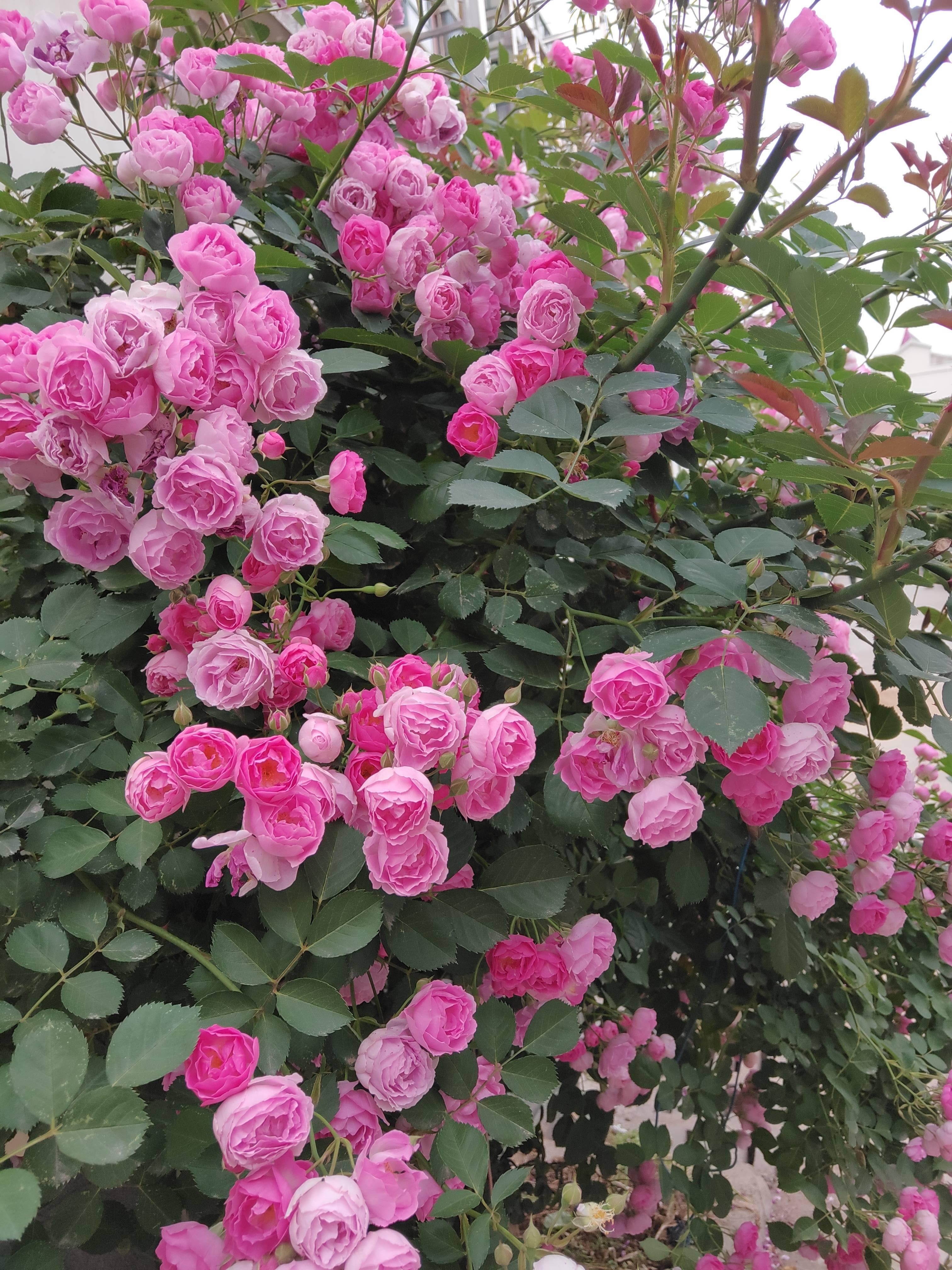
这段时间一直待屋子了,很少外出。上午看阳光明媚,小区转了转。花都开了,很艳...
[photos]

[/photos]
走累了,打开手机刷了几篇文章。看着看着就觉得有时候吧,执着一些无意义的事情,反而正事都显得无足轻重。就好像写博客,有的人频繁换模板,换程序,却不见有写什么文章,就像我一样,之前没独立博客时候写生活和日记,有了反而变成为了折腾而折腾,背离了初衷,颇有些买椟还珠的味道...
之前一直使用win10自带图片浏览器,速度那叫一个慢。后来下载了wps图片,时不时崩溃,关键是想用下别的功能还要付费,网上这些在线功能都是免费的啊!
没法子,那就搜一搜吧,花了几个小时把网上提到的几乎所有看图软件都试用了一遍,发现了这款软件Honeyview,打开速度那叫一个快,转换格式和图片剪切功能都支持,这不正是我需要的吗?如果需要更高级功能,那就直接关联ps吧!
怎么在日志主题添加归档页面呢?
新建php文件,名字随意,例如postarchive.php,粘贴如下代码
<?php
/**
 * 文章归档
 * @package custom
 */
?>
<?php if (!defined('__TYPECHO_ROOT_DIR__')) exit; ?>
<?php $this->need('header.php'); ?>
<main id="main">
    <div class="archivepage">
    <h2 class="post-title center"><?php $this->title() ?></h2>
    <?php $this->widget('Widget_Contents_Post_Recent', 'pageSize=10000')->to($archives);
    $year=0; $mon=0; $i=0; $j=0;
    $output = '<div id="archives">';
    while($archives->next()):
        $year_tmp = date('Y',$archives->created);
        $mon_tmp = date('m',$archives->created);
        $y=$year; $m=$mon;
        if ($mon != $mon_tmp && $mon > 0) $output .= '</ul></li>';
        if ($year != $year_tmp && $year > 0) $output .= '</ul>';
        if ($year != $year_tmp) {
            $year = $year_tmp;
            $output .= '<h2>'. $year .' 年</h2><ul>';
        }
        if ($mon != $mon_tmp) {
            $mon = $mon_tmp;
            $output .= '<li><span><b>'. $mon .' 月</b></span><ul>';
        }
        $output .= '<li>'.date('d日: ',$archives->created).'<a href="'.$archives->permalink .'" title="'. $archives->title .'">'. $archives->title .'</a> <em>('. $archives->commentsNum.' 评论)</em></li>';
    endwhile;
    $output .= '</ul></li></ul></div>';
    echo $output;
    ?>
        <div class="clearfix"></div>
    </div>
</main>
<?php $this->need('footer.php'); ?>
#archives ul{padding:10px 0 10px 20px}
#archives ul li{padding:5px 0}
#archives h2{border-bottom:1px solid #eee;padding-bottom:6px}
归档页面就制作完了,您可以按照自己喜好进行进一步的修改css样式。
该功能已集成在主题中。